
How to Install The Spike MOD APK XAPK File
For The Spike MOD APK XAPK install, first know this: an XAPK is a package that bundles the app (APK) together with its extra data files (OBB) in one download. Big games like The Spike split their files this way because the extra data would make a single APK too large to install cleanly.
This tutorial shows how to download The Spike MOD APK as an XAPK file and install it on Android — follow Method 1 if you want the easiest way.
A normal APK installs with one tap. An XAPK needs the extra step of placing the OBB data where Android expects it — which is exactly what this guide covers.
Which The Spike Versions Need This Guide?
Only the XAPK builds. On our old versions page these are:
- The Spike MOD APK v5.6.1 (196 MB, XAPK)
- The Spike MOD APK v5.5.8 (196 MB, XAPK)
Every other version — including the latest v8.0.116 — is a normal APK and installs the usual way.
Before You Start
- Free up at least 500 MB — the 196 MB download expands during install.
- Allow unknown apps: Settings → Apps → Special app access → Install unknown apps → allow your browser (or file manager).
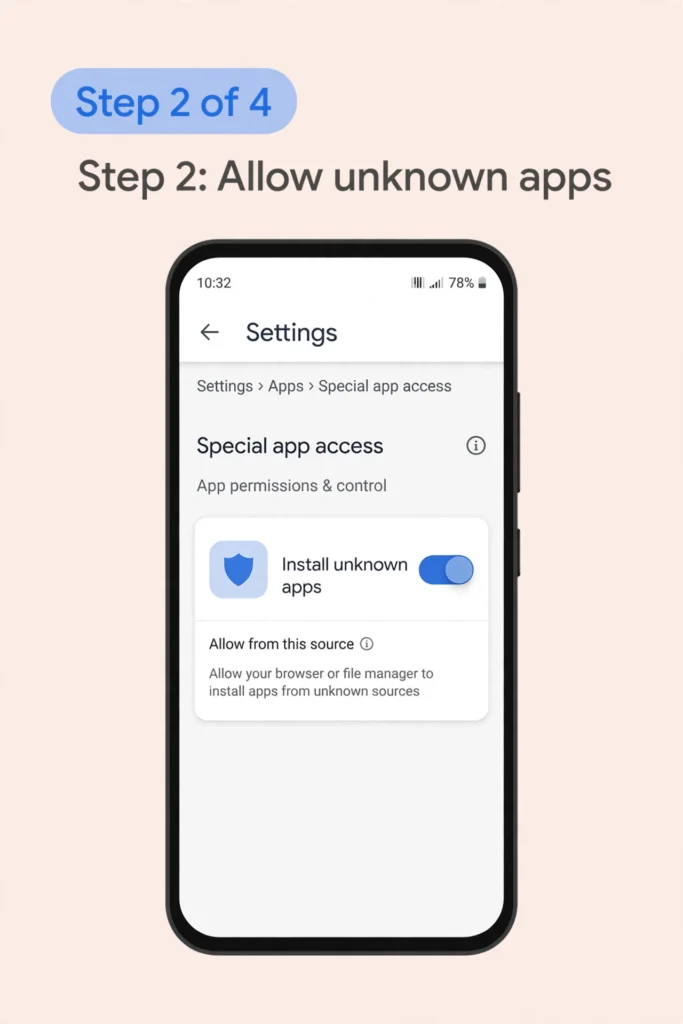
- Download only from our verified page — XAPK files from random sites are the most common way people get infected builds. Read our security guide if you want to know how we verify files.
Method 1: The Spike MOD APK XAPK install via installer app (easiest, recommended)
- Download the v5.6.1 or v5.5.8 XAPK from our old versions page.
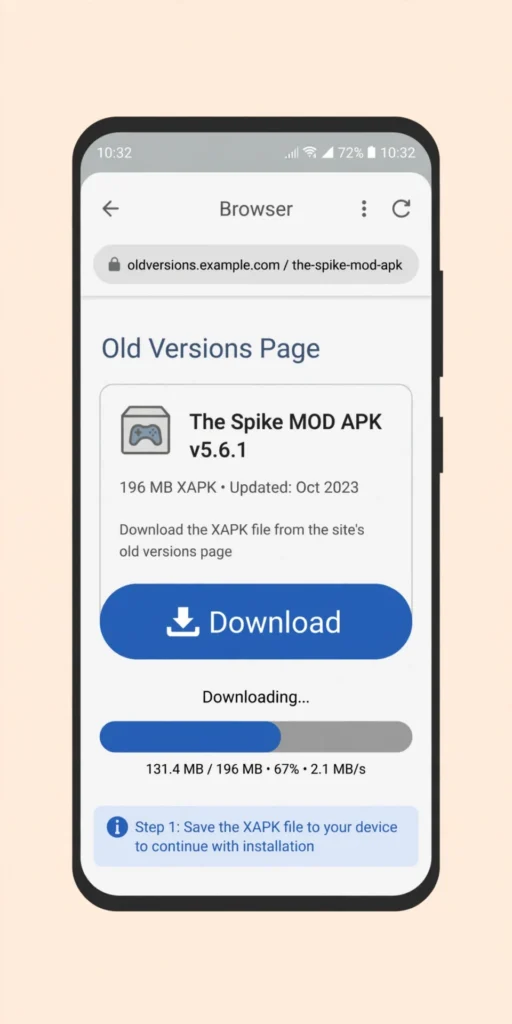
- Install a free XAPK Installer app from the Google Play Store.
- Open it — it automatically finds XAPK files in your Downloads folder.
- Tap Install next to The Spike file.
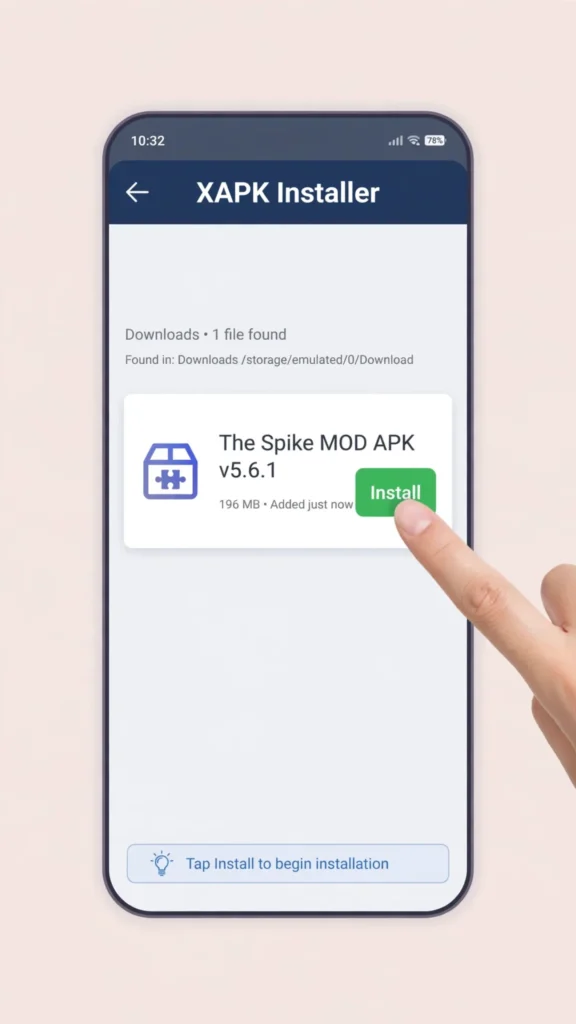
- Wait for it to finish (the app handles the OBB placement for you), then tap Open.
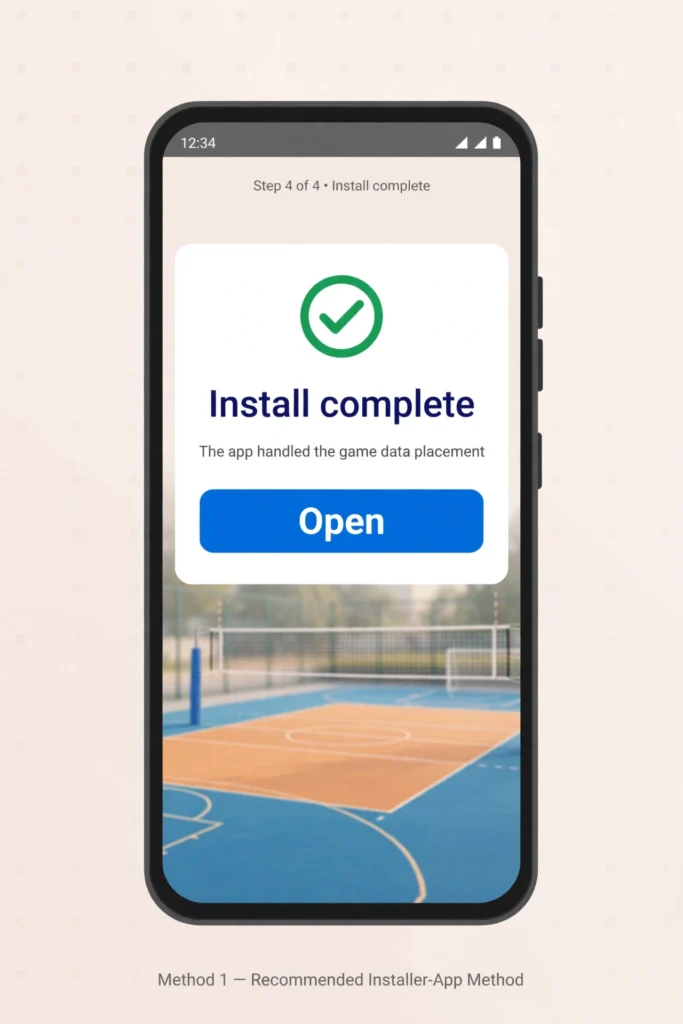
Total time: about 3–5 minutes.
Method 2: Manual Install (no extra app needed)
- Download the XAPK file.
- Rename it from
.xapkto.zip(long-press → Rename in your file manager). - Extract the ZIP — you’ll see an
.apkfile and anAndroid/obb/...folder. - Copy the folder inside
obbto:Internal storage → Android → obb(create theobbfolder if it doesn’t exist). - Install the
.apkfile by tapping it. - Open the game — it should load without asking for extra downloads.
Common Errors and Fixes
| Error | What it means | Fix |
|---|---|---|
| “App not installed” / parse error | The APK is corrupted or your Android version is too old | Re-download the file; these builds need Android 7.0+ |
| Black screen after opening | OBB data is missing or in the wrong folder | Repeat Method 2, step 4 — the folder path must be exactly Android/obb/... |
| “Download failed because resources could not be found” | The game can’t see the OBB files | Move the OBB folder again and restart the phone |
| Install button greyed out | “Install unknown apps” isn’t allowed for your browser | Enable it in Settings (see Before You Start, step 2) |
Frequently Asked Questions
Is an XAPK file safe?
An XAPK is just a container format — safety depends on the source, not the format. Ours are scanned and tested before publishing, same as our APK builds.
Can I convert the XAPK to a normal APK myself?
Not usefully — the game needs its OBB data to run. Follow the guide above instead of trying to strip it down.
Why are only the v5.x builds XAPK?
That’s how those particular builds were packaged when they were released. Newer builds (v6.4.414 and up, including v8.0.116) come as standard APKs.
Will this work on iOS?
No — XAPK is an Android-only format. iPhone users should use our iOS guide instead.